Top Stories

Ankaj Gupta
November 09, 2025

Best Google AdSense Alternatives for Bloggers

Monetization Guide

Best Google AdSense Alternatives for Bloggers (2025 Edition)

If you are earning less than expected from AdSense—or your application is still pending—consider these performant ad networks. Each option supports different traffic tiers, content niches, and payout models.

Quick Comparison

Network Ideal For Payment Model Minimum Traffic
Media.net Contextual ads for US/UK audiences CPC + CPM 3K+ pageviews/month
Ezoic AI layout testing for growth-stage blogs Revenue share 10K+ sessions/month
Mediavine Lifestyle, food, parenting, travel Revenue share 50K sessions/month
PropellerAds Push notifications, pop-under, interstitials CPM + CPA No minimum
AdThrive (Raptive) Premium advertisers targeting US households Revenue share (75% to publisher) 100K pageviews/month + 50% US traffic
SheMedia Female-focused sites and lifestyle communities Revenue share 20K+ sessions/month
Sovrn //Commerce Commerce-focused or affiliate heavy blogs CPM + CPA Flexible

Top Networks to Consider

Media.net

A Yahoo/Bing network with contextual ads that blend well with editorial blogs. Works best if most of your traffic comes from US, UK, or Canada.

Visit site →
  • ✅ Dedicated account manager once approved
  • ✅ Compatible with AdSense as a backup
  • ⚠️ Approval can take 3–5 business days
  • ⚠️ Requires quality content and consistent traffic

Ezoic

Automates ad testing with machine learning, improving RPM over time. Offers additional tools such as site speed accelerator and analytics.

Visit site →
  • ✅ Onboarding specialists help with DNS and setup
  • ✅ Pays via PayPal, Payoneer, bank transfer
  • ⚠️ Needs DNS integration or Cloudflare
  • ⚠️ Short learning curve to tune placeholders

Mediavine

A premium network known for industry-leading RPMs. Perfect for lifestyle and food bloggers with strong US-based traffic.

Visit site →
  • ✅ 30-day payment terms via ACH, PayPal, Payoneer
  • ✅ Excellent dashboard and reporting tools
  • ⚠️ Strict content and traffic requirements
  • ⚠️ Exclusivity clause—cannot run other display networks

PropellerAds

A global ad network with aggressive formats such as push notifications, pop-under, and interstitial ads. Works well for entertainment, downloads, gaming, and streaming niches.

Visit site →
  • ✅ Fast approval and no minimum traffic
  • ✅ Weekly payouts starting at $5 via PayPal, Payoneer, bank
  • ⚠️ Intrusive formats can hurt UX if overused
  • ⚠️ Requires compliance with browser policy changes

AdThrive (Raptive)

A premium network with deep advertiser relationships across lifestyle, tech, and finance. Best suited for authoritative publishers with mostly US traffic.

Visit site →
  • ✅ High RPMs and strong direct-sold campaigns
  • ✅ Includes video player, header bidding, and reader surveys
  • ⚠️ Requires 100K monthly pageviews with 50%+ US readers
  • ⚠️ Strict brand safety and content guidelines

SheMedia

Targets female-led audiences with campaigns from top lifestyle advertisers. Provides sponsored content opportunities alongside display revenue.

Visit site →
  • ✅ Inclusive community events and brand collaborations
  • ✅ Support for audio, video, and newsletter sponsorships
  • ⚠️ Needs 20K monthly sessions and majority female audience
  • ⚠️ Focused on English-language content

Choosing the Right Mix

Instead of relying on a single network, combine monetization levers to stabilize revenue:

  • Display ads: Pair AdSense with Media.net or Ezoic to fill inventory.
  • Affiliate links: Promote niche-specific products alongside ads.
  • Sponsored posts: Pitch brands once your traffic meets advertiser thresholds.
  • Digital products: Offer e-books, templates, or premium newsletters.

How to Prepare a Strong Application

Eligibility Checklist

  • Publish at least 30–40 high-quality, original articles.
  • Maintain clear navigation, About, Contact, and Privacy Policy pages.
  • Ensure 50–60% of traffic matches the network’s target geography.
  • Keep site speed scores above 70 on mobile and desktop.

Application Tips

  1. Collect screenshots of Google Analytics (last 30 days, traffic sources).
  2. Highlight popular posts and engagement metrics in your pitch.
  3. Disclose existing monetization partners upfront.
  4. Follow up after seven days with a polite status email if needed.

Payment Timelines and Thresholds

Network Threshold Frequency Payout Methods
Media.net $100 Net-30 Wire, PayPal
Ezoic $20 Net-30 PayPal, Payoneer, bank transfer
Mediavine $25 Net-65 ACH, PayPal, Payoneer
PropellerAds $5 Weekly PayPal, Payoneer, wire, Skrill
AdThrive (Raptive) $25 Net-45 ACH, wire, PayPal

RPM Optimization Checklist

During Setup

  • Place ads above the fold, in-content, and at the end of articles.
  • Enable lazy loading and defer non-critical scripts.
  • Use responsive ad units for mobile and tablet devices.
  • Test header bidding or mediation to increase demand.

Monthly Maintenance

  • Monitor Core Web Vitals—particularly CLS and LCP.
  • Review RPM by device, geography, and page type.
  • Optimize top-earning posts with updated keywords and CTAs.
  • Split-test ad density to balance UX and revenue.

FAQ

Can I use multiple ad networks at the same time?

Yes. Many publishers run Media.net alongside AdSense or use Ezoic’s mediation feature to test different partners. Check each network’s policy to avoid exclusivity conflicts.

Which network pays the fastest?

PropellerAds releases payments weekly once you hit $5. Media.net and Ezoic pay net-30, while Mediavine and AdThrive pay net-65.

Will switching networks hurt SEO?

No. Ad networks do not affect Google rankings directly. Focus on ad layout, page speed, and Core Web Vitals to maintain user experience.

Next Steps

  • Audit your traffic location and niche before applying.
  • Test networks for at least 30 days to gather reliable RPM data.
  • Continue creating evergreen content—advertisers pay more for quality audiences.
Blogger blogging
Read
How to remove ? m=1 or ?m=0 from blogger post URL
Ankaj Gupta
May 02, 2021

How to remove ? m=1 or ?m=0 from blogger post URL

Remove ?m=1 From Blogger Post URL

A common question that every blogger searches for is how to remove ?m=1 or ?m=0 from Blogger post URLs. We all know that "simplicity is beauty" and you want a clean permalink. This guide will help you remove these parameters and create professional, clean URLs for your blog posts.

Why Remove ?m=1?

The ?m=1 parameter appears when users access your blog from mobile devices. Removing it provides several benefits.

  • • Professional Permalink: Gives your blog posts cleaner, more professional URLs
  • • Better SEO: Helps improve ranking in Search Engine Result Pages
  • • Shorter URLs: Makes your blog post URLs shorter and easier to share
  • • User Experience: Cleaner URLs look more trustworthy and professional

Step-by-Step Tutorial

Follow these simple steps to remove ?m=1 from your Blogger post URLs:

Step 1: Login to Blogger Dashboard

First, log in to your Blogger dashboard and select your blog.

How to remove m1 from blogger url

Step 2: Navigate to Theme Section

Click on the Theme option in your Blogger dashboard.

Fix Blogger m=1 Duplicate Content Issue

Step 3: Click on Customize

Click on the Customise button to access theme settings.

Remove ?m=1, ?m=0 suffix when visiting from mobile

Step 4: Access Edit HTML

Click on Edit HTML option to modify your theme code.

How to Remove ?m=1 From Website URL On Mobile

Step 5: Find the </head> Tag

Press (CTRL + F) from your keyboard and type /head to find the closing head tag.

New Blogger Easily Remove ?m=1 from Your Website with code

Step 6: Add the Code

Paste the below code just above the </head> tag.

How to remove ? m=1 from URL in blogger
<script type='text/javascript'>
    //<![CDATA[
var uri = window.location.toString();
if (uri.indexOf("%3D","%3D") > 0) {
    var clean_uri = uri.substring(0, uri.indexOf("%3D"));
    window.history.replaceState({}, document.title, clean_uri);
}
var uri = window.location.toString();
if (uri.indexOf("%3D%3D","%3D%3D") > 0) {
    var clean_uri = uri.substring(0, uri.indexOf("%3D%3D"));
    window.history.replaceState({}, document.title, clean_uri);
}
var uri = window.location.toString();
if (uri.indexOf("&m=1","&m=1") > 0) {
    var clean_uri = uri.substring(0, uri.indexOf("&m=1"));
    window.history.replaceState({}, document.title, clean_uri);
}
var uri = window.location.toString();
if (uri.indexOf("?m=1","?m=1") > 0) {
    var clean_uri = uri.substring(0, uri.indexOf("?m=1"));
    window.history.replaceState({}, document.title, clean_uri);
}
//]]>
</script>

Step 7: Save Settings

Finally, click on the Save icon to save your settings and code.

Removing ?m=1 From Blogger

How the Code Works

The JavaScript code works by:

  • Getting the current URL using window.location.toString()
  • Checking if the URL contains various encoded or unencoded versions of m=1
  • Extracting the clean URL by removing the unwanted parameters
  • Using window.history.replaceState() to update the URL without reloading the page

Code Breakdown

URL Encoding Handling

The code handles both encoded %3D and unencoded = versions.

Multiple Parameter Checks

Checks for ?m=1, &m=1, and their encoded forms.

No Page Reload

Uses replaceState() instead of pushState() to avoid adding to browser history.

Just save and go to mobile and check the permalink/URL of your Blogger post. You will see that ?m=1 or ?m=0 has been removed. Now enjoy clean, professional URLs! Happy Blogging! :)

Summary

Removing the ?m=1 parameter from Blogger URLs is a simple but effective way to improve your blog's professionalism and SEO. The JavaScript solution provided here works seamlessly across all devices and automatically cleans URLs without requiring any additional configuration.

The code is safe, lightweight, and doesn't affect your blog's performance or functionality. It simply removes the unwanted parameters from the URL when users visit your blog from mobile devices.

Recommended Posts

Blogger blogging
Read
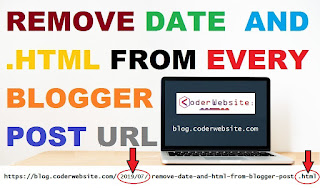
How to remove the date and .html from every blogger post url
Ankaj Gupta
July 08, 2020

How to remove the date and .html from every blogger post url

Remove date and .html from blogger post url

# Remove date and .html from blogger post url

A Common search term which every blogger search is How to Remove Date From Blogger Post URL or how do I remove date from blogger permalink?

Follow the steps below and then date and .html will be removed from the URL of your blogger post.

Step 1: Login to your Blogger blog and select Theme/Template.

Step 2: Click on Edit HTML and paste the below code just above the </head> tag

How to Remove URL

Let's see code:

➤ Code: mycode.js

<script type='text/javascript' >
    //<![CDATA[
// BloggerJS v0.3.1
var urlTotal,nextPageToken,postsDatePrefix=!1,accessOnly=!1,useApiV3=!1,apiKey="",blogId="",postsOrPages=["pages","posts"],jsonIndex=1,secondRequest=!0,feedPriority=0,amp="&"[0];function urlVal(){var e=window.location.pathname,t=e.length;return".html"===e.substring(t-5)?0:t>1?1:2}function urlMod(){var e=window.location.pathname;"p"===e.substring(1,2)?(e=(e=e.substring(e.indexOf("/",1)+1)).substr(0,e.indexOf(".html")),history.replaceState(null,null,"../"+e)):(e=(e=postsDatePrefix?e.substring(1):e.substring(e.indexOf("/",7)+1)).substr(0,e.indexOf(".html")),history.replaceState(null,null,"../../"+e))}function urlSearch(e,t){var n=e+".html";t.forEach(function(e){-1!==e.search(n)&&(window.location=e)})}function urlManager(){var e=urlVal();0===e?accessOnly||urlMod():1===e?getJSON(postsOrPages[feedPriority],1):2===e&&(accessOnly||history.replaceState(null,null,"/"))}function getJSON(e,t){var n=document.createElement("script");if(useApiV3){var o="https://www.googleapis.com/blogger/v3/blogs/"+blogId+"/"+e+"?key="+apiKey+"#maxResults=500#fields=nextPageToken%2Citems(url)#callback=bloggerJSON";nextPageToken&&(o+="#pageToken="+nextPageToken),nextPageToken=void 0}else o=window.location.protocol+"//"+window.location.hostname+"/feeds/"+e+"/default?start-index="+t+"#max-results=150#orderby=published#alt=json-in-script#callback=bloggerJSON";o=o.replace(/#/g,amp),n.type="text/javascript",n.src=o,document.getElementsByTagName("head")[0].appendChild(n)}function bloggerJSON(e){var t=[];if(useApiV3||void 0===urlTotal&&(urlTotal=parseInt(e.feed.openSearch$totalResults.$t)),useApiV3){try{e.items.forEach(function(e,n){t.push(e.url)})}catch(e){}nextPageToken=e.nextPageToken}else try{e.feed.entry.forEach(function(n,o){var r=e.feed.entry[o];r.link.forEach(function(e,n){"alternate"===r.link[n].rel&&t.push(r.link[n].href)})})}catch(e){}urlSearch(window.location.pathname,t),urlTotal>150?(jsonIndex+=150,urlTotal-=150,getJSON(postsOrPages[feedPriority],jsonIndex)):nextPageToken?getJSON(postsOrPages[feedPriority]):secondRequest&&(nextPageToken=void 0,urlTotal=void 0,jsonIndex=1,secondRequest=!1,0===feedPriority?(feedPriority=1,getJSON("posts",1)):1===feedPriority&&(feedPriority=0,getJSON("pages",1)))}function bloggerJS(e){e&&(feedPriority=e),urlManager()}bloggerJS();
//]]>
</script>

Step 3: Click on Save in order to save your settings and you are done.

Note: The code snippet provided in this blog is designed to remove the month and year which is attached on Blogger permalink by default.

Benefits Of Removing Date From Blogger Post URL:

  • Removing Date From Blogger Blog Posts will make your content Evergreen.
  • Gives Professional Permalink to your Blog Posts.
  • It Won't Let visitors know on which date the post is published.
  • Helps in the Better ranking is Search Engine Result Pages.
  • Make your Blog Post URL Short.

Disadvantages Of Removing Date From Blogger Post URL:

  • Who has just started their blog on Blogger.
  • Removing date from Posts URL is good, but only for new bloggers.
  • If you have already a well established Blogger Blog, and your blog posts are ranking in Google Search Engine Result Pages. Then, you shouldn't take risk of changing Posts URL.
  • This will affect your website SEO badly. So beware of changing Post URL if, it is ranked in Google Searches.
Blogger blogging Code How to ? JavaScript Code
Read