Top Stories

Ankaj Gupta
August 20, 2020

Javascript division by 0

JavaScript Basics

What Happens When You Divide by Zero in JavaScript?

Unlike many languages that throw an error, JavaScript returns special numeric values when you divide by zero. Understanding these edge cases prevents confusing console output and logical bugs in your applications.

Safe but Special

Dividing a finite non-zero number by zero never throws an exception in JavaScript. The runtime returns Infinity or -Infinity instead.

Watch for NaN

Zero divided by zero—or an invalid numeric expression—produces NaN. Always guard calculations with sanity checks.

Division by Zero Outcomes

Expression Result Explanation
10 / 0 Infinity Positive numerator divided by zero returns positive infinity.
-10 / 0 -Infinity Sign is preserved—negative numerator produces negative infinity.
0 / 0 NaN Mathematically undefined, so JavaScript returns Not-a-Number.
1 / Infinity 0 When dividing by infinity you approach zero, which is useful for normalization logic.

Console Examples

Positive Numerator

const numerator = 10;
const denominator = 0;

const result = numerator / denominator;
console.log(result); // Infinity
console.log(Number.isFinite(result)); // false

Zero Numerator

const value = 0 / 0;

console.log(value);             // NaN
console.log(Number.isNaN(value)); // true
console.log(value === value);     // false (NaN is never equal to itself)

How to Guard Against Unexpected Results

  • Check denominators first: if (denominator === 0) before performing the division.
  • Use helper utilities: Create a reusable function that returns null or throws when division is invalid.
  • Normalize Infinity: Replace Infinity with a sentinel value when serializing or persisting data.
  • Avoid NaN propagation: NaN contaminates further calculations—use Number.isNaN() to guard intermediate values.

Reusable Safe Division Helper

export function safeDivide(numerator, denominator, fallback = null) {
    if (denominator === 0) {
        return fallback;
    }

    const value = numerator / denominator;
    return Number.isFinite(value) ? value : fallback;
}

// usage
console.log(safeDivide(12, 3)); // 4
console.log(safeDivide(12, 0)); // null

Key Takeaways

  • JavaScript returns Infinity or -Infinity instead of throwing when dividing by zero.
  • 0 / 0 is NaN, which silently poisons later math operations.
  • Always validate denominators and handle special numeric values before rendering or storing results.
Code JavaScript Code
Read
Ankaj Gupta
August 19, 2020

Properties list in JavaScript

JavaScript Fundamentals

Create, Access, and Iterate JavaScript Object Properties

Object literals are the backbone of JavaScript applications. They store configuration, API responses, and UI state in an easy-to-read format. This guide walks through building a nested object, accessing values, and iterating properties safely.

Object Literals

Define key–value data inline using curly braces. Ideal for configuration and mock data.

Property Access

Use dot notation for known keys, bracket notation for dynamic keys.

Iteration Patterns

Loop through objects with for...in, Object.keys(), or Object.entries().

1. Define a Nested Object

Start with a single literal that groups fruit nutrition facts. Each fruit is another object containing macronutrient values.

const fruits = {
    apple: {
        water: "86%",
        protein: "0.3 g",
        fat: "0.2 g",
        sugars: "10.4 g"
    },
    mango: {
        water: "83.5 g",
        protein: "0.8 g",
        fat: "0.4 g",
        sugars: "14.8 g"
    }
};

Tip: Keep numeric units in strings if they include symbols (%, g). Otherwise, store numbers and add units when rendering.

2. Access Properties

Dot Notation

const appleProtein = fruits.apple.protein;
console.log(appleProtein); // "0.3 g"

Bracket Notation

const fruitName = "mango";
const nutrient = "sugars";

console.log(fruits[fruitName][nutrient]); // "14.8 g"

3. Iterate Over Properties

Choose an iteration strategy based on the data you need. The examples below log each nutrient for every fruit.

for...in Loop

for (const property in fruits.apple) {
    if (Object.prototype.hasOwnProperty.call(fruits.apple, property)) {
        console.log(`${property}: ${fruits.apple[property]}`);
    }
}

Object.entries()

Object.entries(fruits).forEach(([fruitName, stats]) => {
    console.log(`\n${fruitName.toUpperCase()}`);

    Object.entries(stats).forEach(([nutrient, value]) => {
        console.log(`- ${nutrient}: ${value}`);
    });
});

4. Present Objects as Tables

When displaying object data in the browser, render it in a table to improve readability.

Fruit Water Protein Fat Sugars
Apple 86% 0.3 g 0.2 g 10.4 g
Mango 83.5 g 0.8 g 0.4 g 14.8 g

Best Practices

Recommended

  • Freeze configuration objects with Object.freeze().
  • Namespace related data in nested objects for clarity.
  • Use TypeScript or JSDoc to document expected properties.

Avoid

  • Mutating objects in multiple places without tracking state.
  • Using for...in without hasOwnProperty.
  • Mixing numeric and string keys unless absolutely necessary.

Key Takeaways

  • Object literals let you describe complex data structures with minimal syntax.
  • Choose the right access pattern—dot for known keys, brackets for dynamic ones.
  • Use iteration helpers such as Object.entries() to keep loops concise and readable.
Code JavaScript Code
Read
Ankaj Gupta
August 14, 2020

Program to print numbers

Program to display numbers

In this section, you will learn how you can easily print numbers like : "0 to 50", "0 to 100", "0 to 500", "0 to 1000" and more. In this example, we print 0 to 50 number using javascript.

Let's try to create a simple program :

  ➤ Code : javascript program to print numbers;

<script>
 //Enter your number here, as often as you want to print. 
   let number = 50;
   for(let i = 0; i<=number; i++) {
        console.log(i);
    }   
<script>
Output :
Code Java program Java programming
Read
Ankaj Gupta
August 13, 2020

Program to check lead number in java

In this section, you will learn how you can easily check the lead number by using Java program.

What is Lead Number?

It is a number in which the sum of even digits is equal to the sum of the odd digits or vice-versa, Let's see:

For example : 6325

  • Sum of even number : 6 + 2 = 8

  • Sum of add number : 3 + 5 = 8

Here, the Sum of even number is equal to the sum of the odd digits, So 6325 is a lead number.

Let's try to create a simple program :

  ➤ Code : LeadNumber.java;

import java.util.*;
class LeadNumber{
   public static void main(String args[]){	
      Scanner input=new Scanner(System.in);
      System.out.print("Enter a number to check the number is Lead Number : ");        
      
      int number = input.nextInt();	// 6325 
      int r=0,odd=0,even=0;
      while(number>0)
      {
         r=number%10;	//5,2,3,6 
         if(r%2==0){
            even=even+r;	//2+6 = 8
         }
         else{
            odd=odd+r;	// 3 + 5 = 8
         }
         number = number/10;
     }
     if(odd==even)
        System.out.println("This is a Lead Number");
     else
        System.out.println("This is not a Lead Number");
   }
}
Output :

Enter a number to check the number is Lead Number : 6325

This is a Lead Number

Code Java program Java programming
Read
Ankaj Gupta
August 12, 2020

Create diamond shape program in Javascript

Program to print Diamond shape

In this section, you will learn how you can easily print 'diamond shape' and 'pyramid shape' using javascript

Diamond shape program

Let's see, the simple program to create a diamond shape:

  ➤ Code : Diamond shape program in javascript;

<script>
   function diamond(val){
      var y, w, shape = '';
      for(y = 0; y < val * 2 - 1; y++) {
         w = y < val ? y : val * 2 - y - 2;
         shape += Array(val - w).join(' ') + Array(w + 1).join('* ') + '*\n';
      }
      document.write('<pre>' + shape + '</pre>');
      // console.log(shape); 
   }
   //Enter your number here, as often as you want to size of diamond.
   diamond(5);  
<script>
Output :
    *
   * *
  * * *
 * * * *
* * * * *
 * * * *
  * * *
   * *
    *

Pyramid shape program

Let's see, the simple program to create a pyramid shape:

  ➤ Code : Pyramid shape program in javascript;

<script>
   function displayPyramid(n) { 
      for (var i = 0; i<n; i++) {
         var str = ''; 
         for (var j = 1; j < n-i; j++) { 
            str = str + ' ';
         }
         for (var k = 1; k <= (2*i+1); k++) { 
            str = str + '*'; 
         } 
         document.write('<pre>' + str + '</pre>');
         // console.log(str); 
      }
   }
   // n is the number of lines in your pyramid shape.
   displayPyramid(5);  
<script>
Output :
    *
   ***
  *****
 *******
*********
Code JavaScript Code
Read
Ankaj Gupta
August 12, 2020

Program to display Hello World one hundred times using javascript

Program to display Hello World

In this section, you will learn how you can easily display or print 'Hello World' message one or more then ones times in javascript. In this example, we print 100 times.

Let's try to create a simple program :

  ➤ Code : hello-world program;

<script>
 //Enter your number here, as often as you want to print. 
   let times = 100;
   for(let i = 1; i<=times; i++) {
        console.log(i+". Hello word!");
    }   
<script>
Code JavaScript Code
Read
Java Swing | JComboBox with examples
Ankaj Gupta
August 12, 2020

Java Swing | JComboBox with examples

Combobox program for addition of number in Java

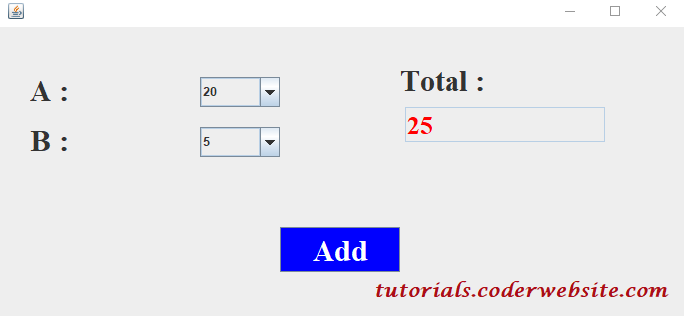
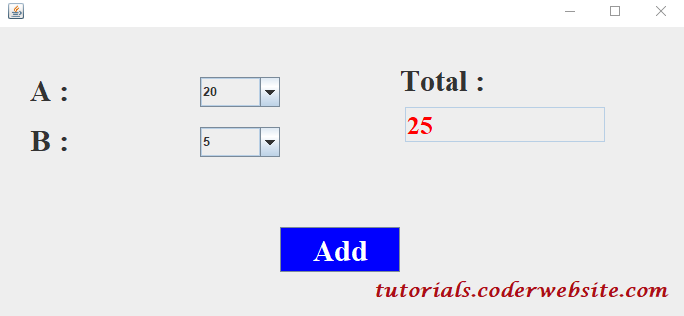
In this section, you will learn how to add two numbers in Java using Combobox.

Let's try to create a simple example of Java Jcombobox for addition of number:

  ➤ Code : ComboboxAddition.java;

import java.awt.*;
import java.awt.event.*;
import javax.swing.*;
/**
 *
 * @author Ankaj Gupta
 */
class ComboboxAddition {         
  private JFrame frame= new JFrame();
  private JPanel panel = new JPanel();
  
  ComboboxAddition() {
    panel.setLayout (null);
 /* Add A label and combobox */ 
   JLabel al = new JLabel ("A :");
     al.setFont(new Font("Serif", Font.BOLD,30)); 
     al.setBounds(30, 40, 280, 45);
     panel.add (al); 
   JComboBox combo_box1 = new JComboBox ();
     combo_box1.setBounds(200, 50, 80, 30);
     for (int i = 20; i >= 1; i--){
        combo_box1.addItem (i);
     }
     panel.add (combo_box1);   
        
  /* Add B label and combobox */             
   JLabel bl = new JLabel ("B :");
     bl.setFont(new Font("Serif", Font.BOLD,30)); 
     bl.setBounds (30, 90, 280, 45);
     panel.add (bl);                  
   JComboBox combo_box2 = new JComboBox ();
     combo_box2.setBounds (200, 100, 80, 30); 
     for (int i = 1; i <= 31; i++){
        combo_box2.addItem (i);
     }
     panel.add (combo_box2);
                 
 /* Add total label and JTextField */         
   JLabel totalL = new JLabel ("Total :");
     totalL.setFont(new Font("Serif", Font.BOLD,30)); 
     totalL.setBounds (400, 30, 280, 45);
     panel.add (totalL); 
   JTextField sum = new JTextField ();
     sum.setEditable(false);
     sum.setFont(new Font("Serif", Font.BOLD,25));
     sum.setForeground (Color.RED);
     sum.setBounds (405, 80, 200, 35);
     panel.add(sum);           
     
 /* Add button  Add*/
  JButton add = new JButton ("Add");
    add.setBackground(Color.BLUE);
    add.setForeground (Color.WHITE);
    add.setFont(new Font("Serif", Font.BOLD,30));
    add.setBounds (280, 200, 120, 45);
    panel.add (add);
    
    frame.add(panel);    
    frame.setSize(700,350);
    frame.setDefaultCloseOperation(JFrame.EXIT_ON_CLOSE);
    frame.setVisible(true);      
    
    add.addActionListener(new ActionListener(){       
      @Override
      public void actionPerformed(ActionEvent e){ 
        try{
          int get_a= (int)combo_box1.getSelectedItem();  
          int get_b= (int)combo_box2.getSelectedItem();   
          int total=get_a+get_b;  
          sum.setText(""+total);
          
          System.out.println(total);            
       }
       catch(Exception error){
          System.out.println(error);             
       }            
     }
   });
  }                
  public static void main(String arg[]){
     ComboboxAddition obj= new ComboboxAddition(); 
  }
}
Output :
Java Swing,  Java Swing tutorial, tutorials.coderwebsite.com

Code Java program Java Swing
Read
Ankaj Gupta
July 24, 2020

How to get text from p tag in javascript | Get paragraph text using js.

Get paragraph text using JavaScript

The getElementById() method is used to return the element that has the ID attribute with the specified value. This is one of the most common methods in the HTML DOM and It is used almost every time we want to manipulate an element on our document.

This method returns a null value, if no elements with the specified ID exists.

Note : The ID should be unique within a page. However, if more than one element with the specified ID exists, it returns the last element in the javascript code, Let's see.

Let's see the simple instance :

  ➤ Example :

 <p id="element">www.coderwebsite.com</p>
 <script>
   var get_text = document.getElementById("element").innerHTML;
   document.write(get_text);
 </script>
Output :

www.coderwebsite.com

Code JavaScript Code
Read
Ankaj Gupta
July 24, 2020

How to overwrite text in p tag using JavaScript ?

Javascript find and replace text in html

In this post, we will learn how to change/overwrite the contents of the p tag using JavaScript, with the help of class name and id, and other. Let's see

# Method 1 : Change inner txt by using id :

  ➤ Example :

<p id="p-tag">www.coderwebsite.com</p>
<script>
   document.getElementById('p-tag').innerText = "Change Me!"
</script>

# Method 2 : Change inner txt by using a class name:

  ➤ Example :

<p class="p-tag">www.coderwebsite.com</p>
<script>
    x=document.getElementsByClassName('p-tag');  // Find the elements
    for(var i = 0; i < x.length; i++){
      x[i].innerText="Hello JavaScript!";    // Change the content
    }
</script>

# Method 3 : Change inner txt on onclick button using a class name:

  ➤ Example :

<p class="p-tag">www.coderwebsite.com</p>
<button type="button" onclick="myFunction()">Click Me!</button>
<script>
  function myFunction(){
    x=document.getElementsByClassName('p-tag');  // Find the elements
    for(var i = 0; i < x.length; i++){
      x[i].innerText="Hello JavaScript!";    // Change the content
    }
  }
</script>
Code JavaScript Code
Read
How to remove the date and .html from every blogger post url
Ankaj Gupta
July 08, 2020

How to remove the date and .html from every blogger post url

Remove date and .html from blogger post url

# Remove date and .html from blogger post url

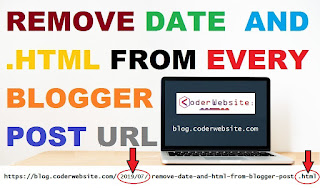
A Common search term which every blogger search is How to Remove Date From Blogger Post URL or how do I remove date from blogger permalink?

Follow the steps below and then date and .html will be removed from the URL of your blogger post.

Step 1: Login to your Blogger blog and select Theme/Template.

Step 2: Click on Edit HTML and paste the below code just above the </head> tag

How to Remove URL

Let's see code:

➤ Code: mycode.js

<script type='text/javascript' >
    //<![CDATA[
// BloggerJS v0.3.1
var urlTotal,nextPageToken,postsDatePrefix=!1,accessOnly=!1,useApiV3=!1,apiKey="",blogId="",postsOrPages=["pages","posts"],jsonIndex=1,secondRequest=!0,feedPriority=0,amp="&"[0];function urlVal(){var e=window.location.pathname,t=e.length;return".html"===e.substring(t-5)?0:t>1?1:2}function urlMod(){var e=window.location.pathname;"p"===e.substring(1,2)?(e=(e=e.substring(e.indexOf("/",1)+1)).substr(0,e.indexOf(".html")),history.replaceState(null,null,"../"+e)):(e=(e=postsDatePrefix?e.substring(1):e.substring(e.indexOf("/",7)+1)).substr(0,e.indexOf(".html")),history.replaceState(null,null,"../../"+e))}function urlSearch(e,t){var n=e+".html";t.forEach(function(e){-1!==e.search(n)&&(window.location=e)})}function urlManager(){var e=urlVal();0===e?accessOnly||urlMod():1===e?getJSON(postsOrPages[feedPriority],1):2===e&&(accessOnly||history.replaceState(null,null,"/"))}function getJSON(e,t){var n=document.createElement("script");if(useApiV3){var o="https://www.googleapis.com/blogger/v3/blogs/"+blogId+"/"+e+"?key="+apiKey+"#maxResults=500#fields=nextPageToken%2Citems(url)#callback=bloggerJSON";nextPageToken&&(o+="#pageToken="+nextPageToken),nextPageToken=void 0}else o=window.location.protocol+"//"+window.location.hostname+"/feeds/"+e+"/default?start-index="+t+"#max-results=150#orderby=published#alt=json-in-script#callback=bloggerJSON";o=o.replace(/#/g,amp),n.type="text/javascript",n.src=o,document.getElementsByTagName("head")[0].appendChild(n)}function bloggerJSON(e){var t=[];if(useApiV3||void 0===urlTotal&&(urlTotal=parseInt(e.feed.openSearch$totalResults.$t)),useApiV3){try{e.items.forEach(function(e,n){t.push(e.url)})}catch(e){}nextPageToken=e.nextPageToken}else try{e.feed.entry.forEach(function(n,o){var r=e.feed.entry[o];r.link.forEach(function(e,n){"alternate"===r.link[n].rel&&t.push(r.link[n].href)})})}catch(e){}urlSearch(window.location.pathname,t),urlTotal>150?(jsonIndex+=150,urlTotal-=150,getJSON(postsOrPages[feedPriority],jsonIndex)):nextPageToken?getJSON(postsOrPages[feedPriority]):secondRequest&&(nextPageToken=void 0,urlTotal=void 0,jsonIndex=1,secondRequest=!1,0===feedPriority?(feedPriority=1,getJSON("posts",1)):1===feedPriority&&(feedPriority=0,getJSON("pages",1)))}function bloggerJS(e){e&&(feedPriority=e),urlManager()}bloggerJS();
//]]>
</script>

Step 3: Click on Save in order to save your settings and you are done.

Note: The code snippet provided in this blog is designed to remove the month and year which is attached on Blogger permalink by default.

Benefits Of Removing Date From Blogger Post URL:

  • Removing Date From Blogger Blog Posts will make your content Evergreen.
  • Gives Professional Permalink to your Blog Posts.
  • It Won't Let visitors know on which date the post is published.
  • Helps in the Better ranking is Search Engine Result Pages.
  • Make your Blog Post URL Short.

Disadvantages Of Removing Date From Blogger Post URL:

  • Who has just started their blog on Blogger.
  • Removing date from Posts URL is good, but only for new bloggers.
  • If you have already a well established Blogger Blog, and your blog posts are ranking in Google Search Engine Result Pages. Then, you shouldn't take risk of changing Posts URL.
  • This will affect your website SEO badly. So beware of changing Post URL if, it is ranked in Google Searches.
Blogger blogging Code How to ? JavaScript Code
Read